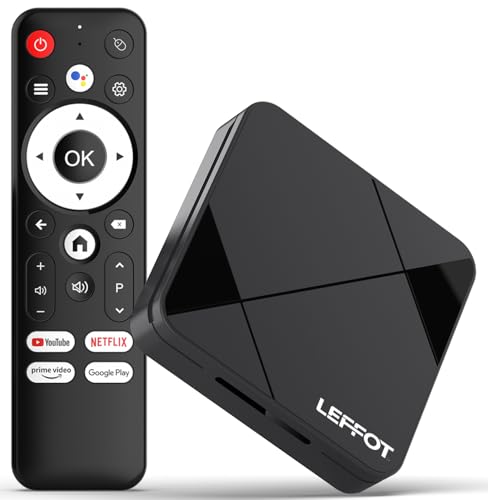
Y1 Android 16.0 TV Box Android Box,2.4G/5G
WiFi+Bluetooth+Ethernet,4K Ultra HD Smart TV Boxs with Infrared Remote Control,2GB RAM + 16GB ROMUSD $35.99
Condition : NEW
Free Shipping
{{variant_type_name}} :

Notify me when the price drops
We will email you if we find a lower price on this product!
- Dual-Band WiFi + Bluetooth + Ethernet: This Android TV box supports 2.4GHz + 5GHz dual-band WiFi. The former offers strong wall penetration and wide coverage, while the latter delivers faster speeds and lower latency. Change between bands as needed to adapt to different home environments. Built-in Bluetooth effortlessly pairs with accessories like Bluetooth remotes, controllers, speakers and headphones, freeing you from cable clutter. The Ethernet port supports wired connections for more stable, interference-resistant signal transmission, eliminating wireless lag
- Powerful Quad-Core Chip: This TV box Android features an Amlogic S905 Quad-core Cortex-A53@1GHz processor. The four cores work together efficiently to drive various media and entertainment applications, ensuring smooth operation without lag. The integrated ARM Mali-450 MP3 graphics processor efficiently handles high-definition videos, delivering crisp and clear visuals. Multiple configurations are available: 1GB/2GB RAM + 8GB/16GB/32GB ROM, catering to diverse needs for app installation and media storage. Choose the option that best fits your requirements
- New Android 16 Smart System: Powered by the latest Android 16 OS, this android box tv features a clean, fluid interface that even beginners can master effortlessly. Its responsive performance handles multitasking with ease, significantly enhancing your movie-watching, TV series binge-watching and gaming experiences. You can also effortlessly install and enjoy popular apps to satisfy all your diverse entertainment needs
- 4K Ultra HD & Multi-Device Connectivity: This tv moving box supports 4K Ultra HD resolution, delivering intricate details and lifelike color gradients for a cinema-grade immersive experience at home. Equipped with a high-definition HD port, it enables seamless plug-and-play connectivity with TVs, computers, projectors, and other display devices. One box meets diverse needs—from home entertainment to office screen sharing
- How to Use: STEP1: Connect super box to the TV with a HD cable. STEP2: Connect tvbox to your power cable with the power adapter in the smart box for tv. STEP3: Connect android tv stick to your home WiFi. If you encounter any problems during use, you can contact us at any time, and we will solve them for you at the fastest speed
- Color: Black

Price type
IN STOCK
OUT STOCK







 .
.
